Louvolite
✓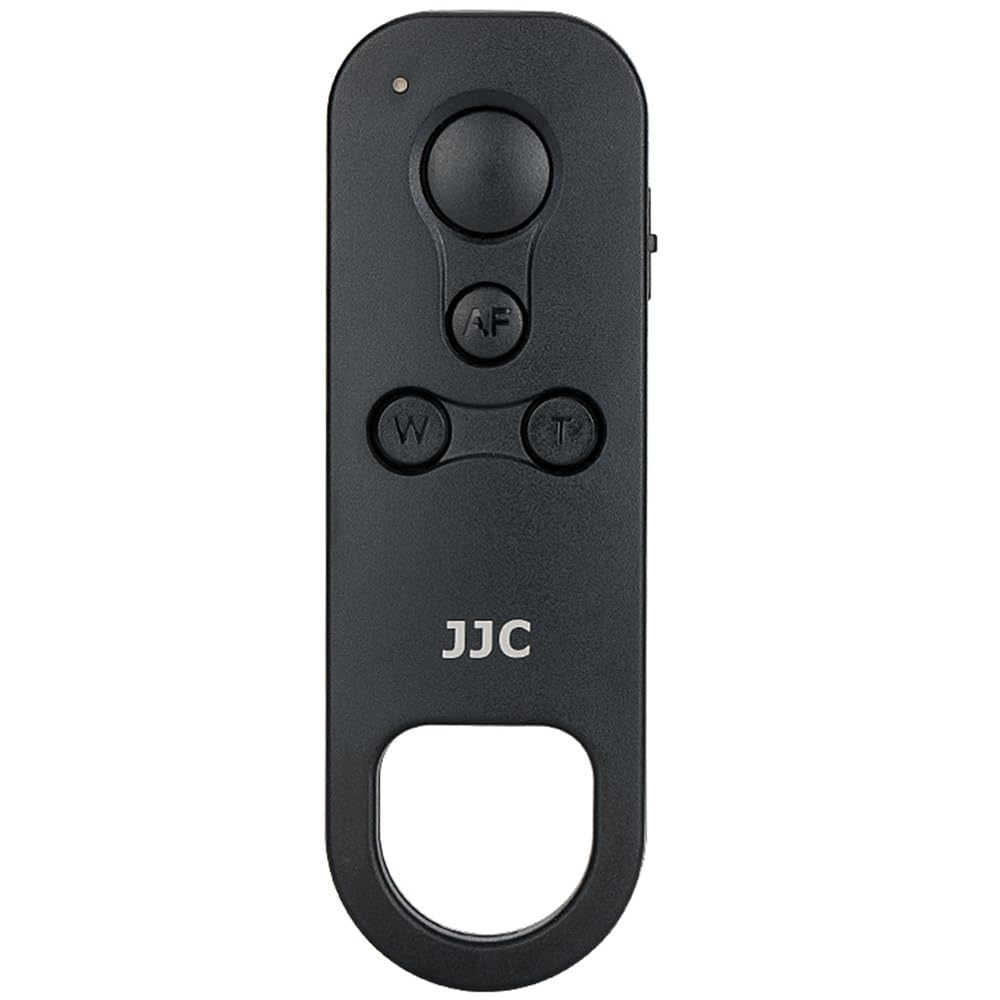
JJC Wireless Remote Control is specially designed for select Canon cameras. Replaces for Canon BR-E1 wireless remote control. Compatibility: for Canon EOS R1 R100, PowerShot V10, R8, R50, R6 Mark II, R10, R7, R5C, R3, M50 Mark II, R5, R6, R, RP, 6D Mark II, 90D, 77D, 850D, 800D, 200D II, 200D, M6 Mark II, M50, M200, PowerShot G5 X Mark II, G7 X Mark III, SX70 HS. Note: The remote's zooming function is not available on V10. Note: R5C can use with this wireless remote control only in photo mode. Specifications: Function: (1) Instant Shooting (2) 2-second delay Shooting (3) Video recording (4) Focusing with AF and zooming Transmission method: 2.4GHz, GFSK modulation Operating distance: Approx. 10m/ 32.8' Power: CR2032 battery(included) Dimension: Approx. 91.5x30.8x12.7mm (3.6x1.2x0.5") Weight: Approx. 14g Notes: (1)Power zoom lenses can be zoomed directly by pressing the zoom button on the remote control. (2)Some lenses need to be used with the Power Zoom Adapter (not included) to use the zoom button on the remote control. (3)During viewfinder shooting, the lens can not be zoomed via zoom button of the remote. EASY TO USE: (1) Remote & Camera Pairings (a)Enable Bluetooth in camera menus (b)Select "pairing" (c)Press the W and T Button on the remote simultaneously for more than 3 seconds (d)Then Press "OK" showed on the camera screen - paired completed (2) For still photos: Set "remote mode" drive mode on camera(Set "Drive Mode" - self-timer: 10 sec/remote - Press "SET"), then Instant Shooting(Set ''S'' Mode on remote) - 2-second delay Shooting(Set ''2S'' Mode) - Long Exposure(Camera In Bulb Mode, lock and release for a long exposure) - Press W/T Button for Zooming - AF Button for Auto Focus (3) For start/stop video: Set camera to video mode, and set ''REC'' Mode on remote.
Customer reviews
10 Trustpilot reviews total, with 2 shown at a time.
I wrote to Bigamart's customer support and they accompanied the process of reshipping the item until it finally arrived. I felt a genuine effort to solve the problem till it was finally solved.
The package was here in Australia from England in a few days — so quick! Something was missing and they refunded it straight away. Pretty happy with these guys.
You might also like