๐ŸŒ Worldwide shipping ยท 30-day returns ยท Rated Excellent on Trustpilot โ˜…โ˜…โ˜…โ˜…ยฝ
Price
$14.51
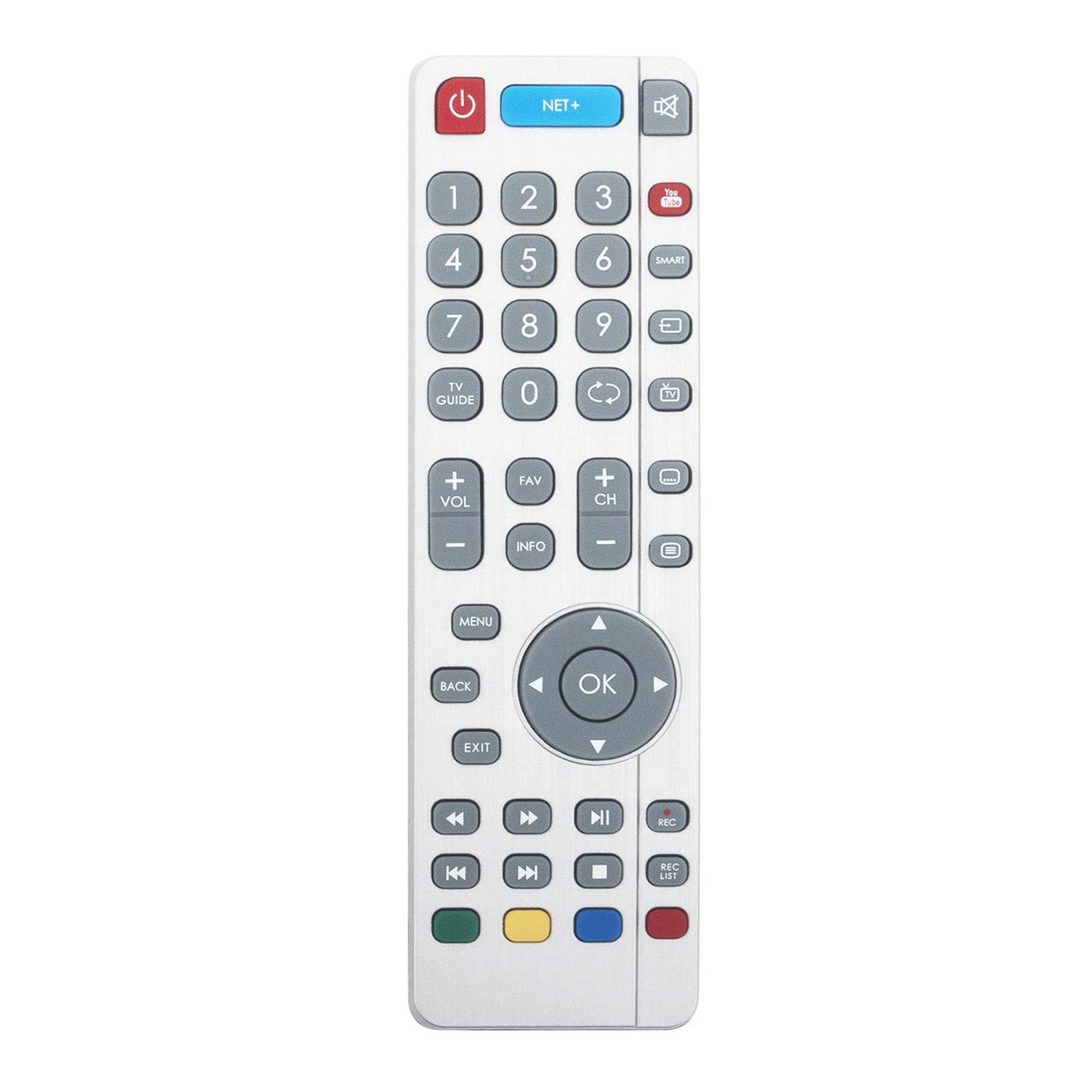
VINABTY SHW/RMC/0111 Remote Control Replacement for SHWRMC0111 Smart TV'S with Youtube NET+ Buttons LC-49CUF8461KS LC49CUF8462ES LC-49CUF8462ES โ€” image 1
Remote ControlsVINABTYโœ“ In stock

VINABTY SHW/RMC/0111 Remote Control Replacement for SHWRMC0111 Smart TV'S with Youtube NET+ Buttons LC-49CUF8461KS LC49CUF8462ES LC-49CUF8462ES

โ˜…โ˜…โ˜…โ˜…โ˜…
$14.51
Worldwide shipping
Fast tracked delivery
30-day returns
Hassle-free returns
Secure checkout
Safe & protected
Great service
Thousands of happy customers
About this item
  • SHW/RMC/0111 SHWRMC0111 Remote Control Replacement for SHW RMC 0111 Smart TV'S with Youtube NET+ Buttons LC-49CUF8461KS LC49CUF8462ES LC-49CUF8462ES
  • LC49CUF8462KS LC-49CUF8462KS LC49XUF8772ES LC-49XUF8772ES LC49CUF8461KS LC49XUF8772KS LC-49XUF8772KS LC55CUF8461KS LC-55CUF8461KS LC55CUF8462ES
  • LC-55CUF8462ES LC55CUF8462KS LC-55CUF8462KS LC55XUF8772ES LC-55XUF8772ES LC55XUF8772KS LC-55XUF8772KS LC65XUF8772KS LC65XUF8772ES LC-65XUF8772ES LC-65XUF8772KS
  • Pairing method: 1) please insert new alkaline batteries. 2) press the OnStandby button on the TV (button is situated on the tv stick panel. 3) once the tv is on press and hold the TV/standyby until the pairing menu is displayed.
  • 4) now press the chanel up or down keys on the tv panel to display the pair menu. 5) press the tv/standby button. The pairing should be completed. 6)now press and hold the yellow and blue button on the new remote to pair the remote to the tv. 7) New remote is paired.
Product description

VINABTY SHW/RMC/0111 SHWRMC0111 Remote Control Replacement for SHW RMC 0111 Smart TV'S with Youtube NET+ Buttons LC-49CUF8461KS LC49CUF8462ES LC-49CUF8462ES LC49CUF8462KS LC-49CUF8462KS LC49XUF8772ES LC-49XUF8772ES LC49CUF8461KS LC49XUF8772KS LC-49XUF8772KS LC55CUF8461KS LC-55CUF8461KS LC55CUF8462ES LC-55CUF8462ES LC55CUF8462KS LC-55CUF8462KS LC55XUF8772ES LC-55XUF8772ES LC55XUF8772KS LC-55XUF8772KS LC65XUF8772KS LC65XUF8772ES LC-65XUF8772ES LC-65XUF8772KS Pairing method: 1) please insert new alkaline batteries. 2) press the OnStandby button on the TV (button is situated on the tv stick panel. 3) once the tv is on press and hold the TV/standyby until the pairing menu is displayed. 4) now press the chanel up or down keys on the tv panel to display the pair menu. 5) press the tv/standby button. The pairing should be completed. 6)now press and hold the yellow and blue button on the new remote to pair the remote to the tv. 7) New remote is paired.

Product details
Brand
VINABTY
Manufacturer
VINABTYNantong
Colour
silvery

Customer reviews

What customers say about Bigamart

10 Trustpilot reviews total, with 2 shown at a time.

Trustpilot
โ˜…โ˜…โ˜…โ˜…โ˜…
Excellent
4.5 average rating
See all reviews โ†’
S
Sigalit
๐Ÿ‡ฎ๐Ÿ‡ฑ ยท January 2026
โ˜…โ˜…โ˜…โ˜…โ˜…

I wrote to Bigamart's customer support and they accompanied the process of reshipping the item until it finally arrived. I felt a genuine effort to solve the problem till it was finally solved.

V
Verified buyer
๐Ÿ‡ฆ๐Ÿ‡บ ยท November 2025
โ˜…โ˜…โ˜…โ˜…โ˜…

The package was here in Australia from England in a few days โ€” so quick! Something was missing and they refunded it straight away. Pretty happy with these guys.

Showing 1โ€“2 of 10 reviews

You might also like

Similar items

View all โ†’