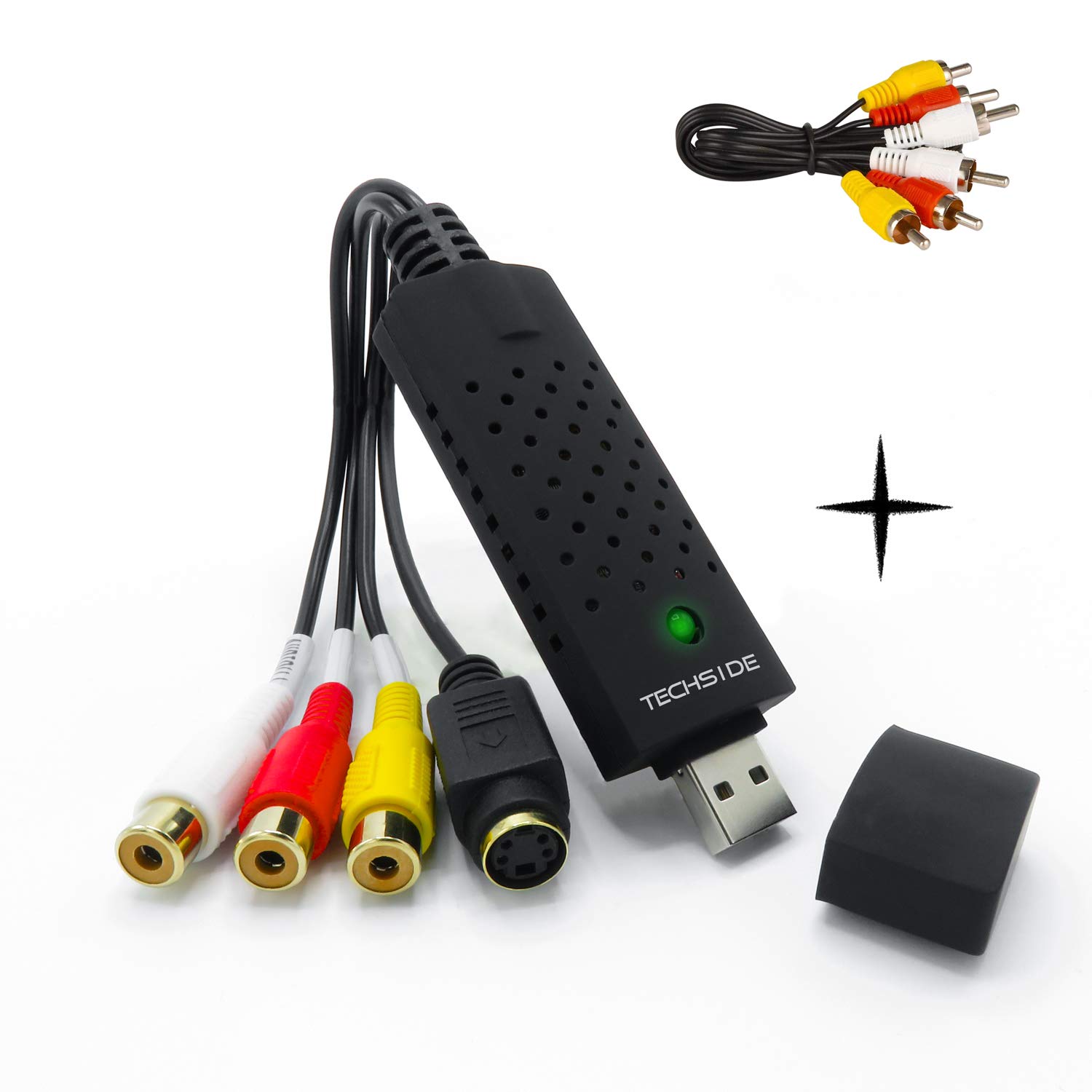

TechSide Video Grabber Gold Contacts + RCA Cables | Analog to Digital | Windows 11 + New 2024 Software | USB 2.0 Converter VHS Capture | Convert Old Videotapes to Digital Format Mpeg
About this item
- โ๏ธ Product Description: TECHSIDE - USB 2.0 High Speed Audio / Video Grabber with Gold contacts for optimal transmission without signal loss.
- โ๏ธ Connections: USB 2.0 High Speed | Video Inputs: S-Video (Mini-DIN 4) / Composite Video (CVBS) | Audio Inputs: Red Cinch Right Audio In / White Cinch Left Audio In (RCA) | improve image quality by adjusting brightness / contrast / hue / saturation | Easy to use | excellent digital picture quality and interference-free transmission
- โ๏ธ Supported video formats: MP4 - MPEG 1, 2 | PAL- SECAM Resolutions: 352x288 @ 25FPS, 480x576 @ 25FPS, 720x576 @ 25FPS / NTSC-Resolutions: 352x240 @ 29.97FPS, 480x480 @ 29.97FPS, 720x480 @ 29.97FPS | Includes Honestech TVR 2.5 Software (The activation key is on the back of the Quick Start Guide)
- โ๏ธ Compatible operating systems: Microsoft Windows 11, Windows 10 (32/64 Bit), Windows 8.1 (32/64 Bit), Windows 8 (32/64 Bit), Windows 7 (32/64 Bit), Windows VISTA ( 32/64 Bit) | Cable length: 26.2cm | Dimensions: 8.9 x 3 x 1 cm | Weight: 108g (including packaging) / 25g (device only) | Color: black | Scope of delivery: TECHSIDE - USB 2.0 High Speed Audio / Video Grabber + Rca cables + instructions
Product description
Product Description: It allows you to transform old VHS tapes into MPEG digital format The installation procedure is very simple: 1. Make sure there is an RCA cable slot on the back of the VCR. If the video recorder is old, it will be necessary to insert a scart adapter, which allows you to convert the scart to RCA connection. (Scart adapter NOT INCLUDED in the package) 2. Connect the RCA cables to the back of the device by simply matching the corresponding colors of the RCA cables 3. Install the Drivers and software on our website www.techsideworld.com 4. Insert the front of the product into the USB slot of the PC. 5. Start the software on the PC and press the capture button at the same time as the video starts on the VCR.
Product details
Customer reviews
What customers say about Bigamart
10 Trustpilot reviews total, with 2 shown at a time.
I wrote to Bigamart's customer support and they accompanied the process of reshipping the item until it finally arrived. I felt a genuine effort to solve the problem till it was finally solved.
The package was here in Australia from England in a few days โ so quick! Something was missing and they refunded it straight away. Pretty happy with these guys.
You might also like
Similar items


Portta AHD Converter AHD To HDMI AHD Converter Upscaler (720p/1080p)

Grandstream GXV3500 IP Video Encoder/Decoder - video server