Opaltool
✓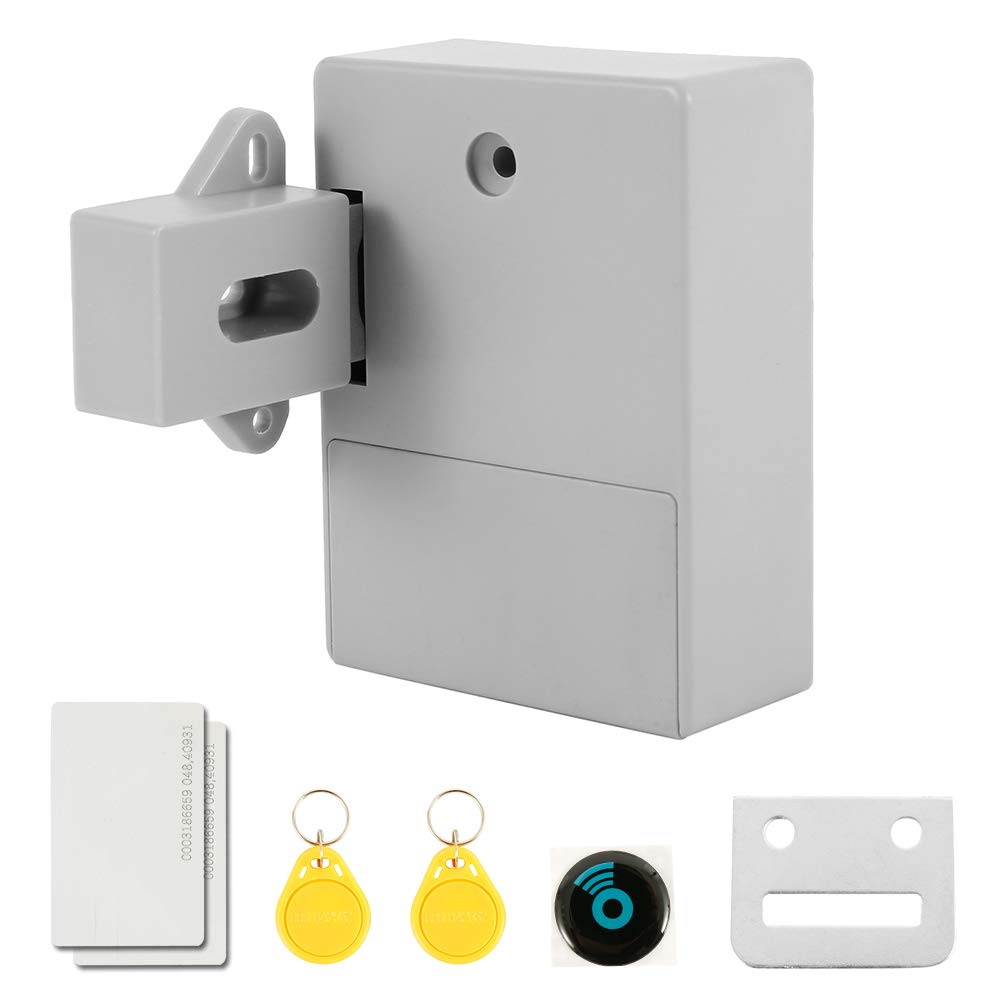
Specification: Material: ABS environmentally friendly material Size: lock body 8.6*6.3*2.8cm latch: 4.8*3.6*1.6*1.6*2.1cm Package Includes: 1 x RFID lock 2 x RFID card 2 x Keychain Fitting screw Note: Cabinet door should not exceed 1.2 inches thick Requires 2 AA 1.5V batteries An audible alarm will sound when the battery is low The battery can be used for 8-12 months under normal use. Instructions Reset the installation of 2 AA 1.5V batteries and press the reset button on the back of the lock until a long beep sounds. After creating a management card reset lock, swipe the RFID card/label and this first card/label will be configured as a management card. After selecting the unlock mode to set the management card, you should select the unlock mode. (1) Short press the reset button, then release, if you hear a short beep and a long beep, this applies to single mode. (2) Short press the reset button and release. If you hear two short beeps and a long beep, this applies to dual mode. Add a user card to slide the management card, then slide the new card you want to add in the beep. Deleting a card is the same as resetting. Press the reset button on the back of the lock until a long beep sounds and all management and user cards will be disabled. You can then set up a new management card. Use a 1.5V AA battery for low voltage alarms. When the card is unlocked, the voice alarm will sound when the battery is low (you will hear a long beep). You can still slide the card to unlock it to the maximum extent possible. 50 times Please replace the battery in time.
Customer reviews
10 Trustpilot reviews total, with 2 shown at a time.
I wrote to Bigamart's customer support and they accompanied the process of reshipping the item until it finally arrived. I felt a genuine effort to solve the problem till it was finally solved.
The package was here in Australia from England in a few days — so quick! Something was missing and they refunded it straight away. Pretty happy with these guys.
You might also like