UGREEN
⏳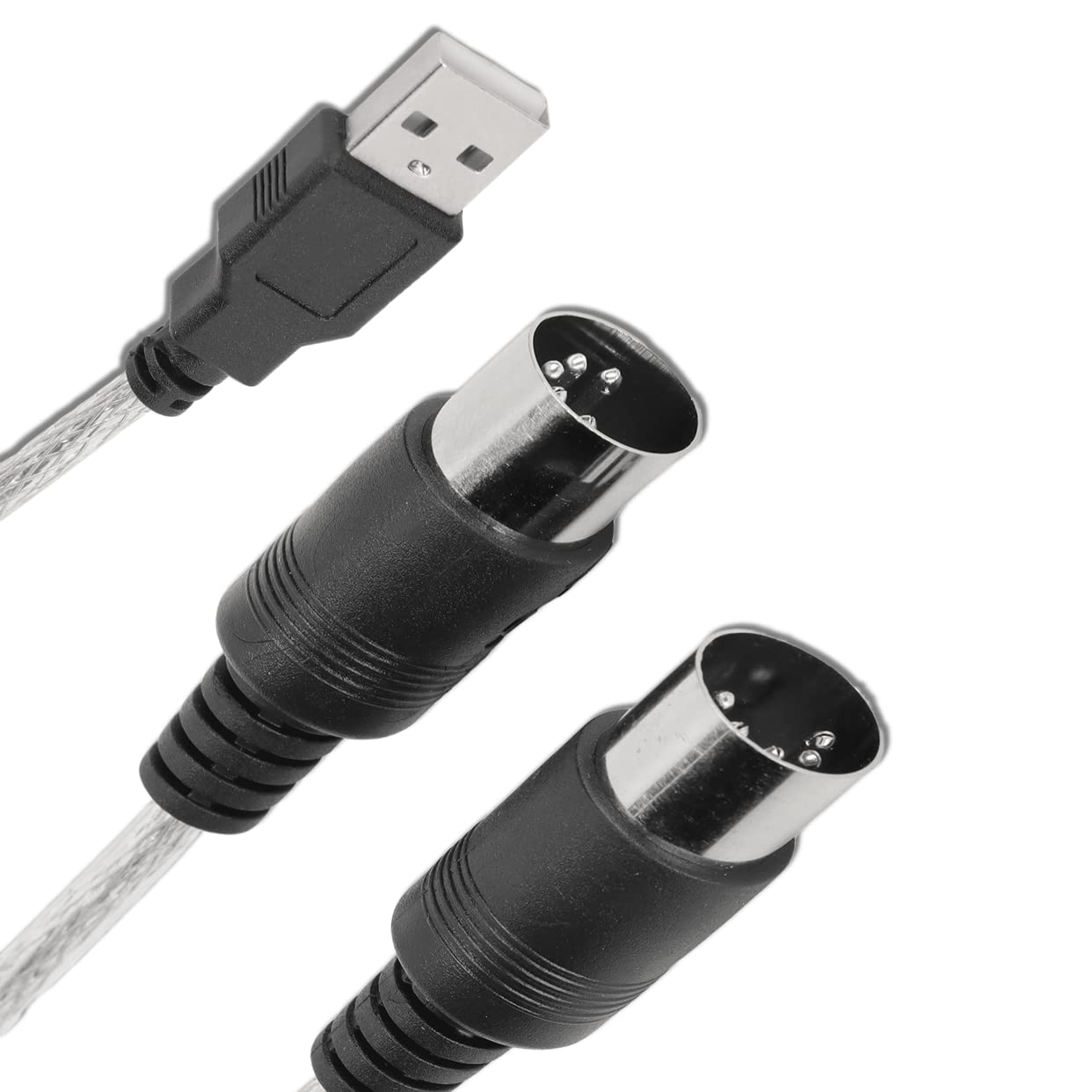
Feature: 1. Easy to Use: First connect the electronic instrument to your computer using the supplied USB MIDI cable. Within minutes you'll be able to play songs while they are being recorded on your PC. 2. Input and Output: This adapter features MIDI in and out cables along with USB PC interface plug. 3. 16 Channels: This MIDI to USB cable supports up to 16 channels in and 16 channels out, and it has LED power, in and out indicator lights. 4. Widely Used: This MIDI USB cable can be used to connect pianos, keyboards, electric pianos, hand‑rolled pianos, electric guitars and computers and other electronic instruments. 5. Strong Compatibility: This wire plug controller adapter is suitable for XP, for Vista, for 7, for 8.1, for 10, for OS X. Specification: Item Type: MIDI to USB Cable Material: ABS Plug: MIDI to USB Line Length: Approx. 2 Meters / 2.2yd ( Manual Measurement, Slight Error May Exist ) Channels: MIDI 1 in 1 Out, 16 Input Channels, 16 Output Channels LED Indicator: Indicating Power, Input Signal and Output Signal. How to Use: 1. Connect the cable marked IN to the MIDI OUT jack of your MIDI keyboard (or MIDI device) 2. Connect the cable labeled OUT to the MIDI IN jack of your MIDI keyboard (or MIDI device) 3. Plug the USB cable into any free USB port on your computer and the red LED will light up to indicate it is receiving power. 4. Open your music software program such as Sonar, MIDI Connections, etc. 5. Set the music program MIDI In and MIDI Out devices to USB Device 6. Your USB to MIDI interface can be used now 7. To avoid potential problems, it is recommended that this interface is always connected to the same USB that was initially installed to prevent multiple driver installations. Package List: 1 x MIDI to USB Cable1 x User
Customer reviews
10 Trustpilot reviews total, with 2 shown at a time.
I wrote to Bigamart's customer support and they accompanied the process of reshipping the item until it finally arrived. I felt a genuine effort to solve the problem till it was finally solved.
The package was here in Australia from England in a few days — so quick! Something was missing and they refunded it straight away. Pretty happy with these guys.
You might also like