TP-Link
⏳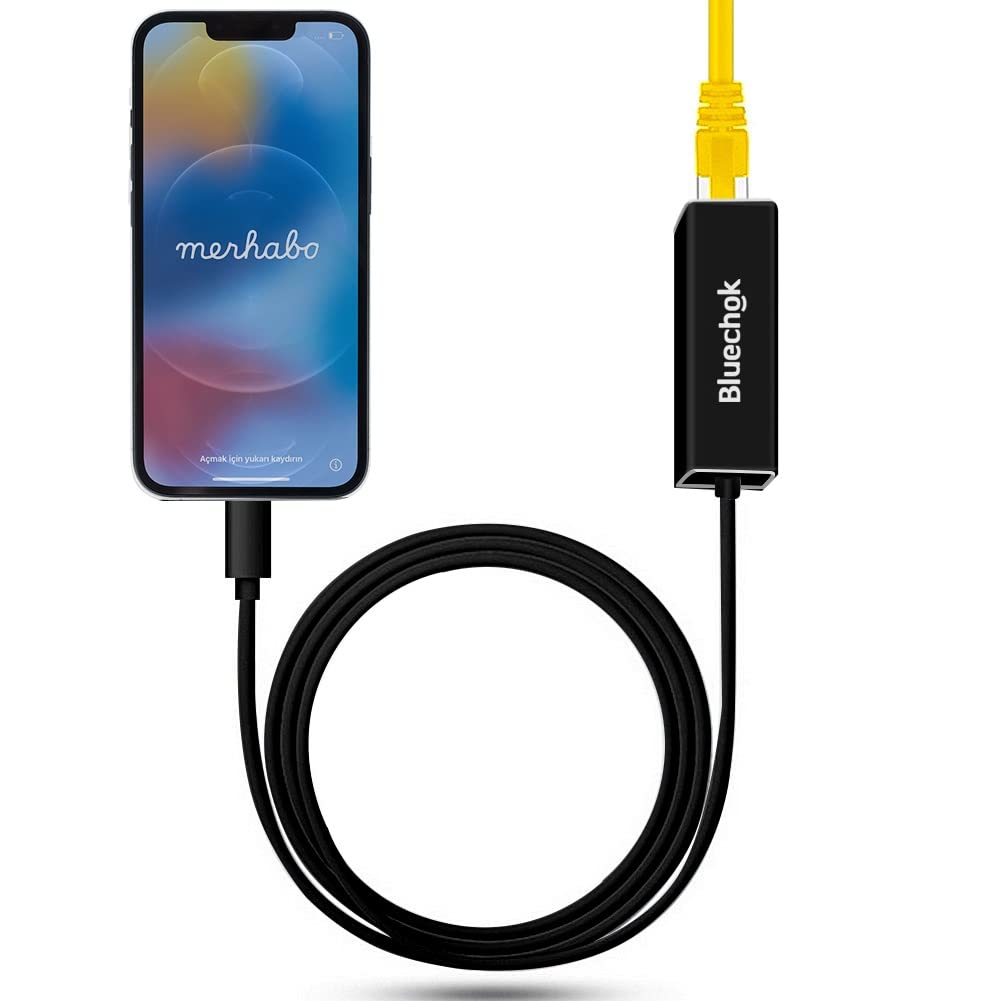
RJ45 Ethernet LAN Network Adapter for Phone/Pad How to Use? -- 1. Turn off Wi-Fi on your Pad or Phone. -- 2. Insert your router-connected Ethernet cable into Ethernet port of our adapter, and connect the lighting end into your Pad or Phone. -- 3. Go to\"Setting\" in your Pad or Phone and the Ethernet settings will show up on your screen. -- 4. Click the "Ethernet" to obtain an IP address. -- 5. Open Safari and check if the connection is working. Compatibility: -- Phone Models: Phone X/Phone 8 Plus/8/7 Plus/7/6s Plus/6s/6Plus/6/SE/5s/5 -- Pad Models: Pad Pro/ Pad Air 2/ Pad Air/ Pad mini4/ Pad mini3/ Pad mini2 Specification -- Product Size: 50×23.5×16.5mm(L*W*H) -- Length: 1M/3.3Ft -- Weight: 25g -- High Speed: 10Mbps/100Mbps -- System Demand: iOS 10.x ( iOS 10.0.1- iOS 10.3.3 )+ iOS 11 x (11.0.1-11.0.3) Friendly Note: 1. Please make sure your router-connected Ethernet cable is connected to internet. 2.This adapter can't dial-up internet itself,need your router device provide a IP by DHCP service. 3.This adapter cannot work with the devices whose system is below iOS10.0. Please upgrade your system to iOS 10.0 or up before using it. Package including: 1* RJ45 Ethernet LAN Wired Network Adapter. Frequently Asked Questions 1.Q: Why Phone/Pad prompts "This accessory is not supported",when connecting the 3in1 adapter? A:-- Improper connection: Please pull out the 3in1 adapter and reinsert. -- The phone case is too thick: Please remove the phone case and insert it again. 2. Please make sure your router-connected Ethernet cable is connected to the internet. 3. This adapter cannot implement self-dial access. It requires your router device to provide IP through the DHCP service.
Customer reviews
10 Trustpilot reviews total, with 2 shown at a time.
I wrote to Bigamart's customer support and they accompanied the process of reshipping the item until it finally arrived. I felt a genuine effort to solve the problem till it was finally solved.
The package was here in Australia from England in a few days — so quick! Something was missing and they refunded it straight away. Pretty happy with these guys.
You might also like