Fisher-Price
✓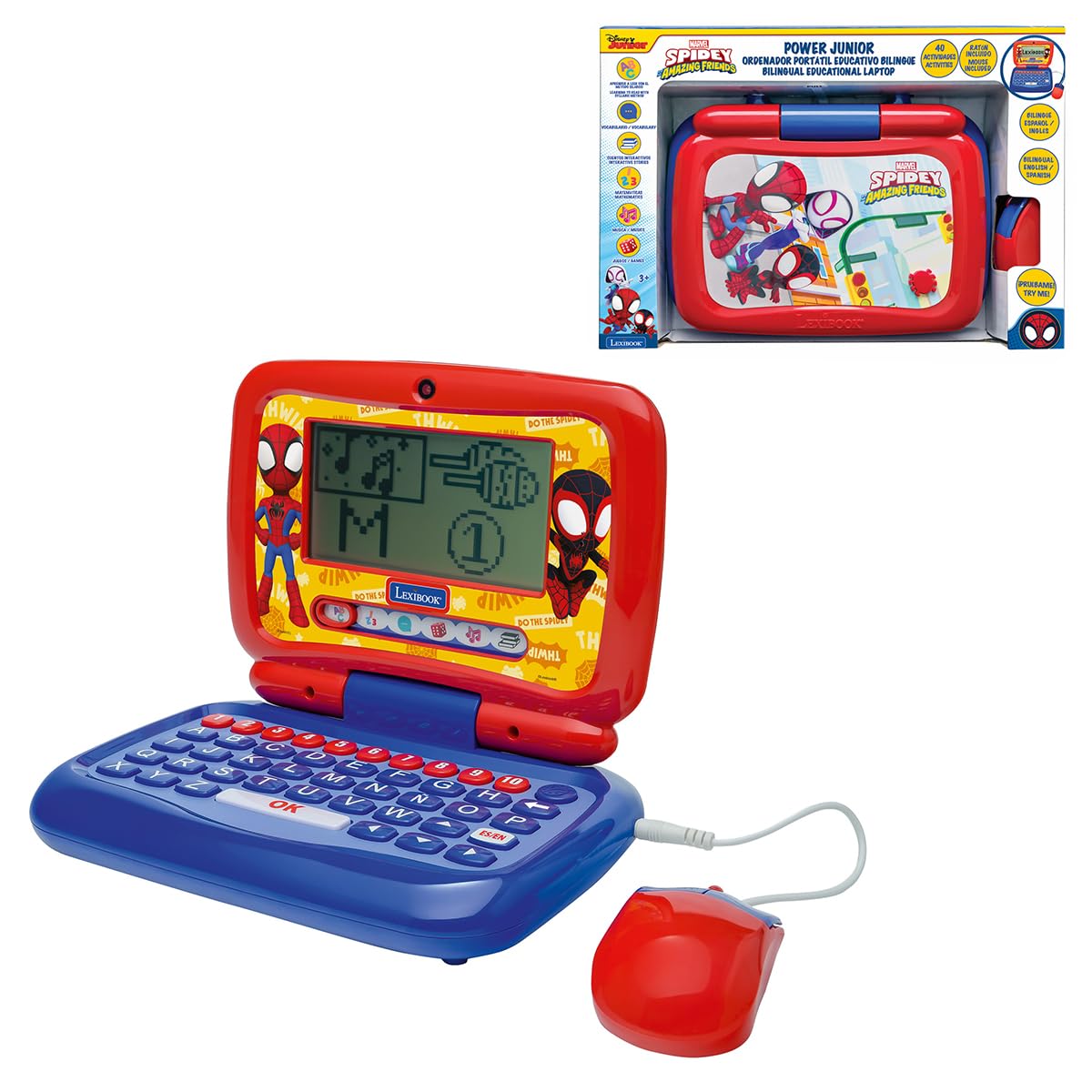
Product Description Discover the world of letters and numbers with the Spidey Bilingual Talking Educational Laptop. Designed to support children’s first steps at school, it offers 40 activities, with 20 in English and 20 in Spanish. Six categories – ABC, 123, ChatFun, Games, Music and stories – introduce vocabulary, counting, logic, creativity and even a dedicated how to read learning method. Three animated stories, totalling about 30 minutes, encourage listening skills and imagination. The realistic keyboard, wired mouse with 20 cm cable and pretend webcam reproduce the look of a real computer, so young learners feel just like grown‑ups. The integrated screen (5.7 x 11.3 cm) clearly displays activities and animations, creating an engaging interactive environment where children can practise, test and improve what they have learned in both languages. Directions 1. Remove the laptop from its packaging. 2. Place the laptop on a flat surface. 3. Turn on the laptop. 4. Use the keyboard and mouse to navigate through the learning activities. 5. Follow the on-screen instructions to complete the activities. 6. Once finished, turn off the laptop and store it safely. Safety Warning Small Parts - Choking Hazard
Customer reviews
10 Trustpilot reviews total, with 2 shown at a time.
I wrote to Bigamart's customer support and they accompanied the process of reshipping the item until it finally arrived. I felt a genuine effort to solve the problem till it was finally solved.
The package was here in Australia from England in a few days — so quick! Something was missing and they refunded it straight away. Pretty happy with these guys.
You might also like