KAIWEETS
⏳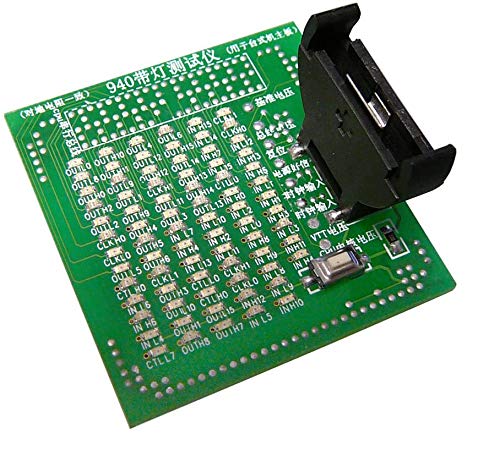
Allows you to test if all the contactors in a socket are in good condition. Instant visual test with LED diode tray. FOR SOCKET 940 Operating mode: - Insert a battery into the tester (battery not included but you can use the motherboard battery for the test time!) then position the tester on the socket as you would the processor, - Press the small button on the tester and view the diodes. All must have the same brightness: a diode that is too dark can signal an open circuit, while a diode that is too bright can signal a short circuit. Each tester comes with a paper diagram of the tested socket.
Customer reviews
10 Trustpilot reviews total, with 2 shown at a time.
I wrote to Bigamart's customer support and they accompanied the process of reshipping the item until it finally arrived. I felt a genuine effort to solve the problem till it was finally solved.
The package was here in Australia from England in a few days — so quick! Something was missing and they refunded it straight away. Pretty happy with these guys.
You might also like