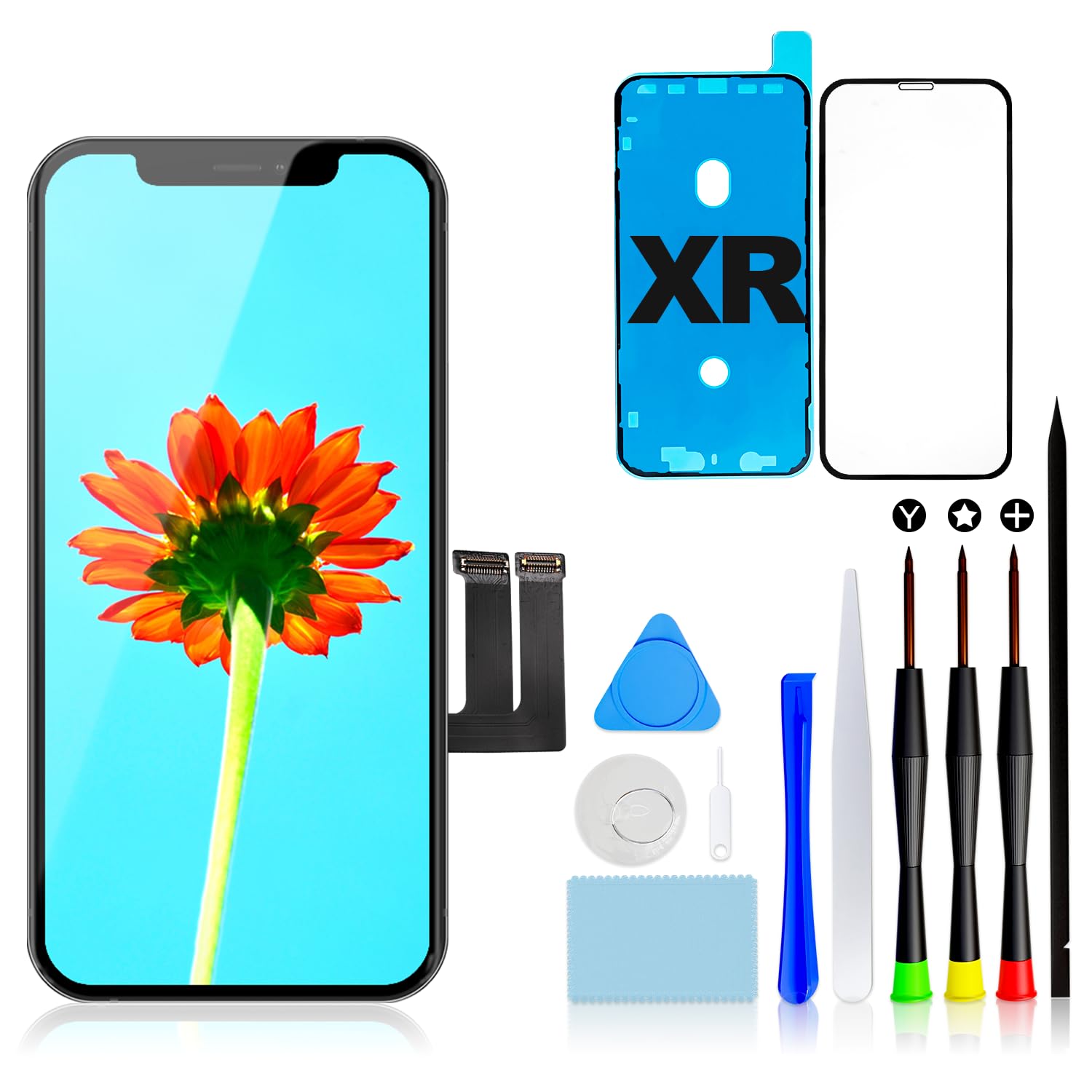

GULEEK for iPhone XR Screen Replacement 6.1 Inch 3D Touch Digitizer LCD Display Assembly with Repair Tools Kit Waterproof Tape and Screen Protector for A1984 A2105 A2106 A2108
About this item
- Compatibility: This display for iPhone Xr only fits iPhone Xr, 6.1 inches. Compatible with model A1984, A2105, A2106, A2108. Not suitable for iPhone X, Xs, Xs Max,11,12. Please confirm your model before you buy it, you can check it under "Settings" in your phone.
- High-quality screen: This screen for iPhone Xr offers advanced Incell technology with 1:1 original size, ultra-high brightness, full colour display, fast response speed, tempered glass and smooth touch, close to the original.
- Keep original function: this LCD for iPhone Xr can maintain your phone original functions such as Face ID, 3D touch and full perspective. You can use it with sunglasses XR LCD screen.
- All-in-package and easy to install: the repair tool kit for iPhone Xr comes with all the tools and step-by-step instructions with the YouTube installation tutorial URL you need during the repair. You only need to transfer the camera, speaker and sensor from the original screen to the new screen. Follow the instructions to replace. Time-saving and money-saving!
- This digitizer for iPhone Xr can replace the defective and defective LCD display touch screen digitizer assembly. For example, the screen does not respond properly, display problems, distortion pixels, broken LCD screens, problems with wrong colours and old and dead LCDs. Each Xr LCD screen replacement has been rigorously tested for flawless function three times before shipping. If you have any problems with the installation, please contact us directly.
Product description
●Compatibility: iPhone Xr ●Color: White ●Package includes: -1 * New iPhone Xr LCD Screen and Digitizer -1 * 0.2mm tempered glass protective film -1 * Repair tools set -1 * User's Guide ● Note: 1. We strongly recommend that you watch the operational video on YOUTUBE before installation through scanning the QR code in the manual or searching "Replace iPhone Xr Screen". 2. Disconnect the battery cable before installation or make sure your phone is powered off. 3. Please mark the position of each screw when you unscrew the screws. Because there are many screws in different sizes,if screws are placed in the wrong hole,then the screen might be damaged. 4. Please connect the flex cable one by one and make sure all the connector well seated.The flex cable will be properly connected with a "click" sound. 5. After connecting the flex cable,please test the LCD screen to make sure the flex cables are in good condition and no debris on the connector. 6. Touch ID and fingerprint identification only can work on your original home button.You will need to transfer the home button from your original screen to the new one. 7. If you have any question,please contact us directly,We will try our best to help you out,thanks.
Product details
Customer reviews
What customers say about Bigamart
10 Trustpilot reviews total, with 2 shown at a time.
I wrote to Bigamart's customer support and they accompanied the process of reshipping the item until it finally arrived. I felt a genuine effort to solve the problem till it was finally solved.
The package was here in Australia from England in a few days — so quick! Something was missing and they refunded it straight away. Pretty happy with these guys.
You might also like
Similar items