Helix
⏳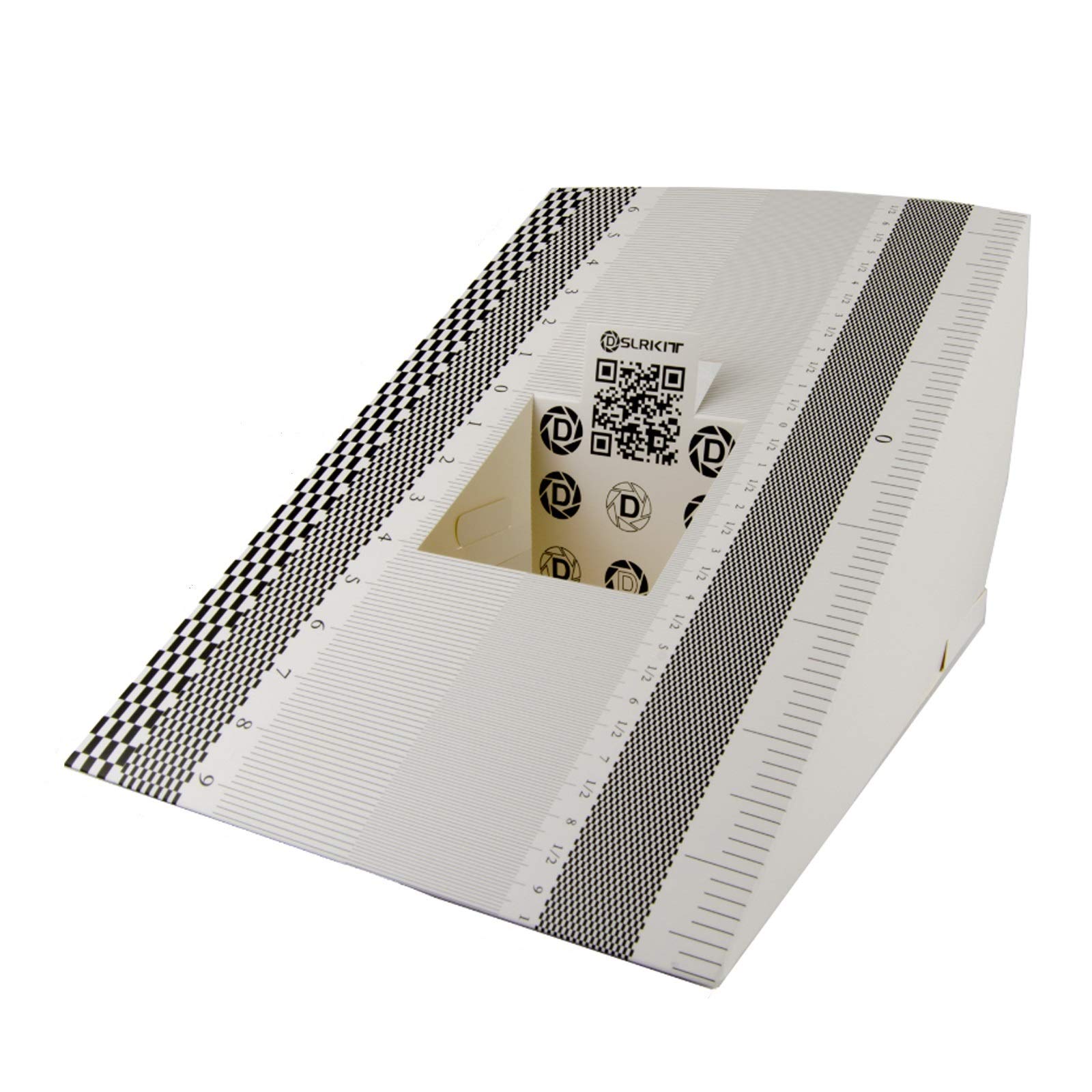
Instruction This compact ruler allows you to determine if your lens is auto-focusing accurately as it should. It is an essential tool that is particularly useful when shooting with a shallow depth of field, where focusing should ideally be "spot on". You can use this ruler to determine how "off" the focusing is for a particular camera / lens combination and, on supported cameras, adjust the camera's auto-focus settings to resolve this. On Nikon cameras, this feature is known as "AF Fine Tune". On Canon and Sony cameras, it's known as "AF Micro Adjustment". Please refer to your camera's instructions manual to see if this feature is present. Size:28.1*18cm Package Included: Lens Focus Calibration Card X2 Usage 1. Set up the ruler. 2. Ensure both the camera and ruler are level, exactly perpendicular and at the same height. It is best to mount the camera on a tripod to do this. 3. Set the lens to the widest aperture to obtain the shallowest depth of field. This will make it easier to determine if your lens is focusing accurately. Auto-focus on the QR-Code at the center of the ruler, then take a photo. 4. Inspect the photo to see if focusing is accurate. It is recommended that you do this on a computer since you will be able to see better on a bigger screen. If focusing is accurate, the '0' on the ruler should be the sharpest point on the image and the other numbers get blurrier as you move away from the 0. 5. If any number above the 0 is clearer, then your lens is backfocusing. Otherwise, if any number below the 0 is clearer, then your lens is front focusing. In either case, you would have to set the auto-focus micro-adjustment parameters on your camera body until you are able to obtain a picture that is sharpest at the '0' on the ruler.
Customer reviews
10 Trustpilot reviews total, with 2 shown at a time.
I wrote to Bigamart's customer support and they accompanied the process of reshipping the item until it finally arrived. I felt a genuine effort to solve the problem till it was finally solved.
The package was here in Australia from England in a few days — so quick! Something was missing and they refunded it straight away. Pretty happy with these guys.
You might also like