Arkidyn
✓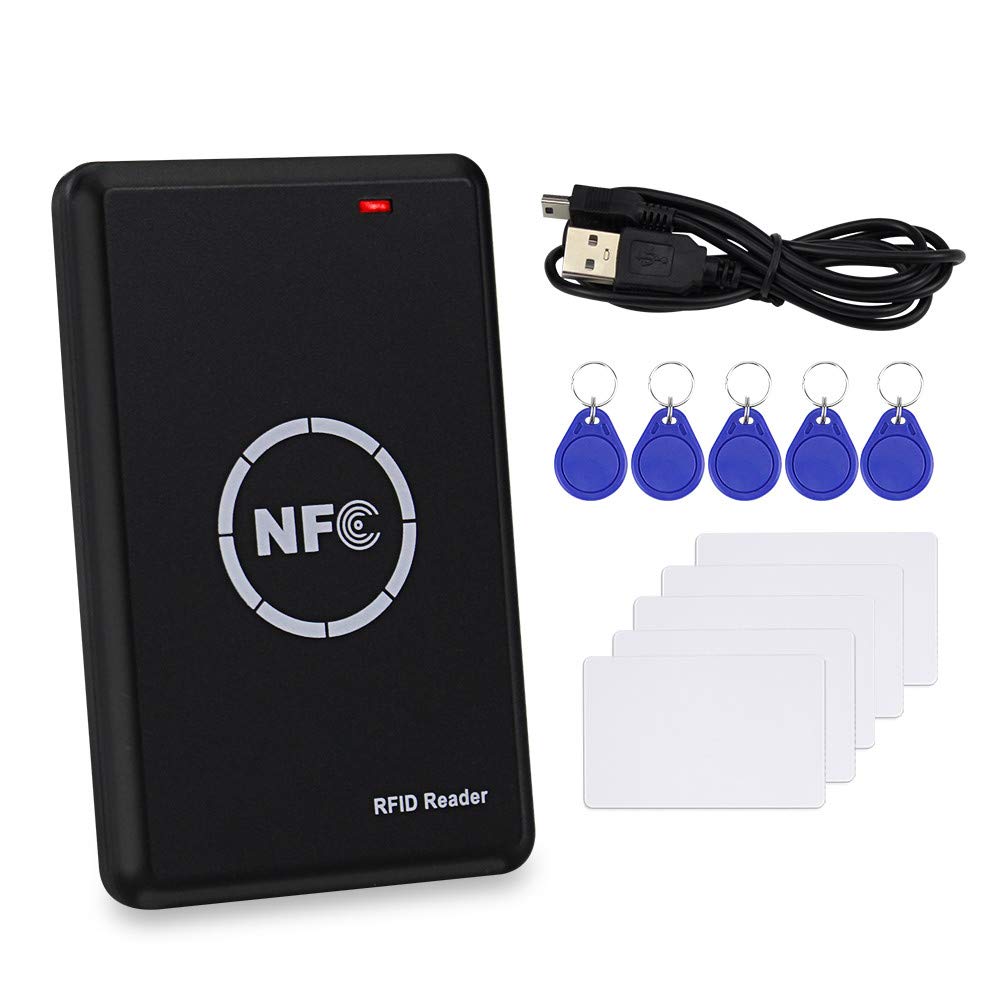
Product Features: Built in operating buzzer:Green means reading card working.Red indicates standby Read Distance: 0 ~ 8cm Authority Certification: CE ID IC card reader,has USB interface,driver-free, no need to download software installation. Read/Write frequency: ID:125KHz ID type: EM4100, TK4100, 8800, 5200, EM4305, T5577, 8265 etc. IC:13.56MHz IC type: UID FUID CUID UFUID IC Half-encryption, IC Full-encryption etc. Method of Write 125KHz card and 13.56MHz card Write 125KHz card 1.Put the card you need to write on the card reader and press "Read EMID" on the software to start read. 2. The software will scan and display the card number 3. Place a writable T5577 (125KHz writable chip) on the card reader and press "Write EMID" on the software. Copy done. Write 13.56MHz IC, IC half encryption card, IC full encryption cards 1.Put the card you need to write on the card reader and press "Read " on the software to start read. 2. “Status: Secessful card reading auth with all sectors succeeded ”indicates that the decryption was successful. 3. After the decryption is successful, the software will displays the UID number. 4.Put a writable UID (13.56MHz writable chip) on the card reader and press "Write Type-A" on the software. “Successfully written GEN1 card data ”indicates that copy done. How to find software 1. Connect the computer with USB (Please do not use other Android USB,only use the USB in the package). 2. A removable disk will show in your computer.(Upper right corner.) 3. Open the disk, you will find the software. Package Including: 1*Card reader 1*USB cable 5*UID cards 5*T5577 Keys
Customer reviews
10 Trustpilot reviews total, with 2 shown at a time.
I wrote to Bigamart's customer support and they accompanied the process of reshipping the item until it finally arrived. I felt a genuine effort to solve the problem till it was finally solved.
The package was here in Australia from England in a few days — so quick! Something was missing and they refunded it straight away. Pretty happy with these guys.
You might also like