No image
Plaud
✓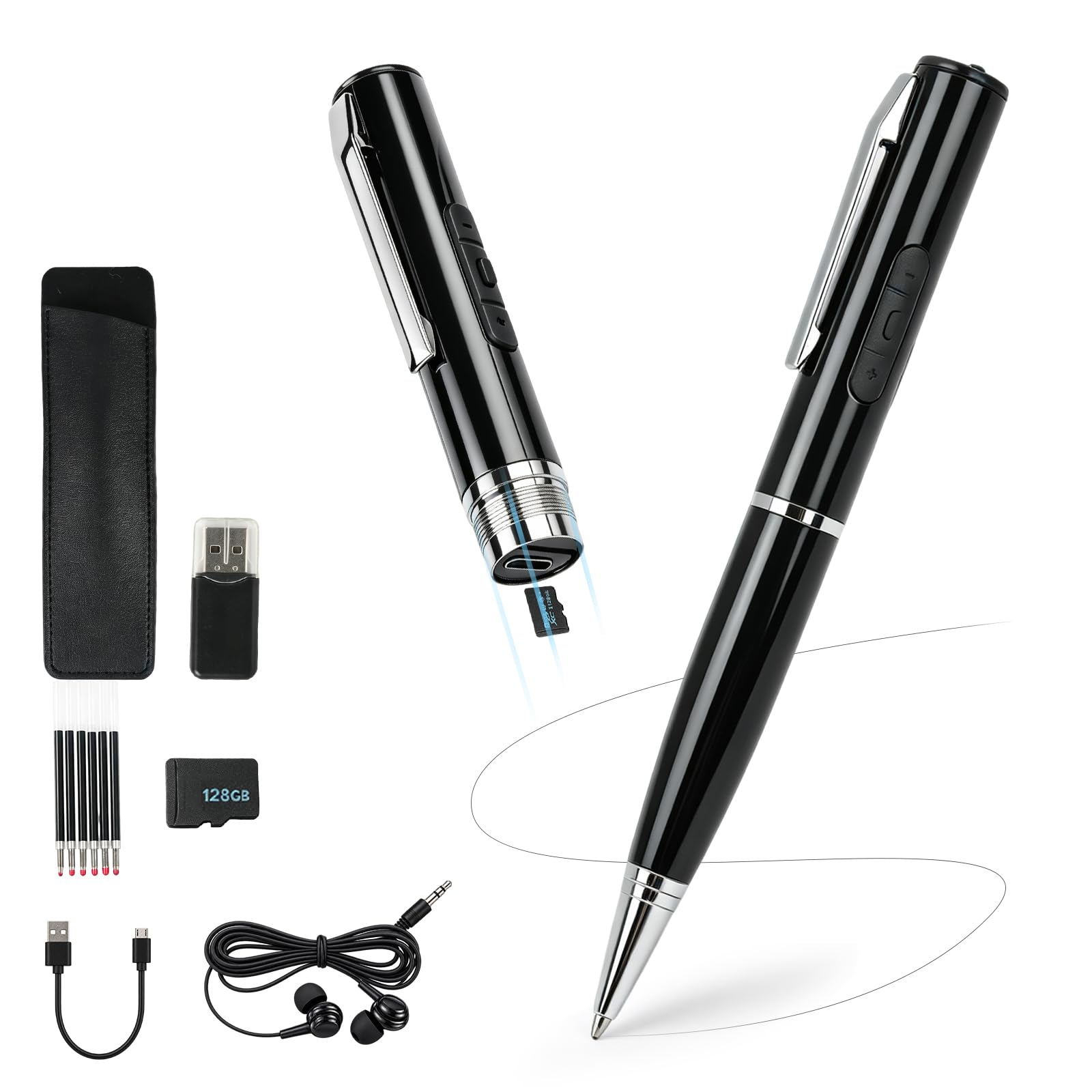
Product Specifications Function: Recording, listening to music, writing, automatic saving, mobile/computer transfer, noise reduction, timestamp (files named after date) Material: Aluminium Color: Black Recording Pen Memory: 64GBTF card Size: 146 x 13.6mm Weight: 35g Charging time: 2h Battery life: 4h Recording distance: 10m Microphone: Omnidirectional condenser microphone Scenario: Class, Meeting, Business Meetings, Interviews Package Contents Recording pen x 1 Pen core x 6 Pen case x 1 Headphones x 1 Data cable x 1 64GB memory card x 1 Reader card x 1 Instruction manual x 1 Exquisite gift box x 1 Operation Q&A Q: How to turn on the device? A: Click the power button to start recording, turn on the red light five times and turn off the device Q: How do I know if the recording pen is recording? A: You can press the volume button briefly. If the recording pen is recording, the red light will turn on and then turn off Q: How to delete? A: Double click "+" to enter the deletion mode, double-click "+" again to delete the current file, and triple click "+" to delete all files in the current mode (The red and blue lights remain on for a long time when entering the deletion state, but do not light up during the deletion process) Q: How to convert MP3 and audio files? A: Double click "-“ (Long bright blue light) Q: How to play or pause? A: Plug in the headphones, toggle the switch, and the device will automatically play when turned on (with a bright blue light). When in a paused state, if there is no operation for 30 seconds, it will automatically shut down Q: How to switch audio? A: Press "+" to increase the volume and play the next song, press "-" to decrease the volume and play the previous song Q: How to calibrate time? A: Connect the recording pen and computer with a data cable. Open the computer on the desktop, find and open "Removable Disk", find and open the "Settime" folder, find and open "USB-UPDATE. exe", the display time is the current time of the computer, click "Update" to complete it
Customer reviews
10 Trustpilot reviews total, with 2 shown at a time.
I wrote to Bigamart's customer support and they accompanied the process of reshipping the item until it finally arrived. I felt a genuine effort to solve the problem till it was finally solved.
The package was here in Australia from England in a few days — so quick! Something was missing and they refunded it straight away. Pretty happy with these guys.
You might also like