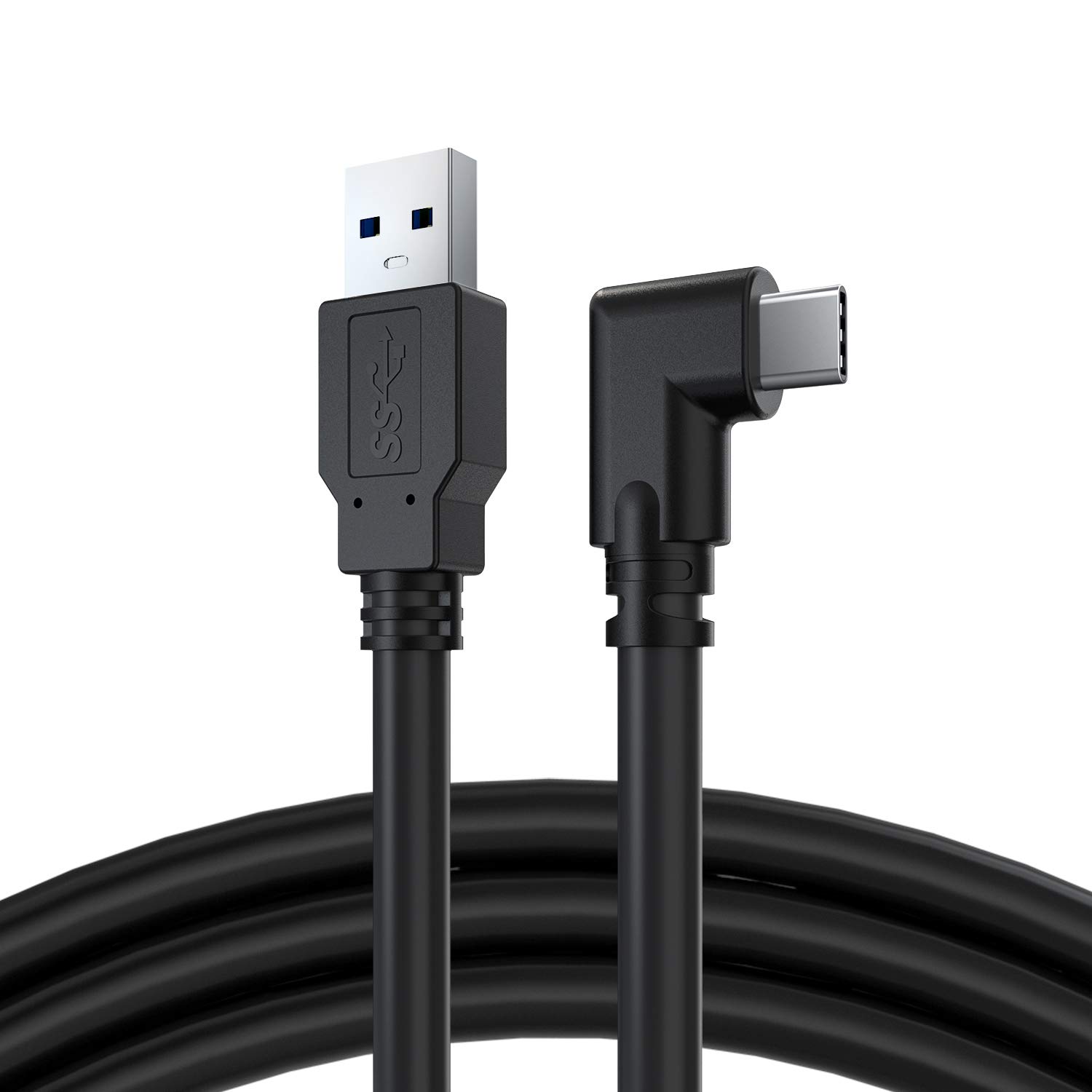
CBUS Professional Tethering Cable, USB 3.2 Gen1, USB-A to USB-C with Right Angle Connectors (5m, Black)
About this item
- TECHNOLOGY - USB 3.2 Gen 1 cable also known as USB 3.1 Gen 1 and USB 3.0. These 3 names give the same specifications, transferring data at a speed of 5Gbps.
- LENGTH & THICKNESS - 5 metre (16.4 feet) long cable to be able to reach the highest and most inaccessible points when we want to take shots that do not allow us to access the camera to set it up and shoot. Rugged 4.6-millimeter diameter cable, fully shielded and plated to protect against external signal interference and allow optimal transfer to keep workflows running at top speed.
- FASTENING - It is very important to keep the cable securely connected to the camera, that's why we include a cable tie so you can attach it to the tripod or the bar where you have placed the camera for the session. It is advisable to put the cable in the form of a loop before placing the cable tie, so that the tension of a pull does not go directly to the port where it is connected.
- COMPATIBILITY - Compatible with FujiFilm GFX 50R, FujiFilm GFX 50s II, FujiFilm GFX 100, FujiFilm GFX 100s, FujiFilm X-A7, FujiFilm X-E4, FujiFilm X-Pro3, FujiFilm X-S10, FujiFilm X-T3, FujiFilm X-T4 , FujiFilm X-T200, FujiFilm X 100V, Hasselblad CFV II 50C, Hasselblad H6D, Hasselblad X1D, Hasselblad X1D II 50C, LEICA SL2, Leica SL2-S, Sony a7 III, Sony a7 IV, Sony a7C, Sony a7R III, Sony a7R IIIa, Sony a7R IV, Sony a7R Iva, Sony a7S III, Sony a9 II, Sony ZV-E10.
- COMPATIBILITY - Compatible with Nikon D6, Nikon D780, Nikon Z 5, Nikon Z 6, Nikon Z 6 Mark II, Nikon Z 7, Nikon Z 7 Mark II, Nikon Z 9, Nikon Z fc, Nikon Z fc, Olympus OM-D E-M1 Mark II, Olympus OM-D E-M1 Mark III, Panasonic LUMIX DC-GH5, Panasonic LUMIX DC-GH5M2, Panasonic LUMIX DC-GH5s, Panasonic LUMIX DC-GH5s, Panasonic LUMIX DC-GH6, Panasonic LUMIX DC- S1H, Panasonic LUMIX DC-S5, Pentax K-3 III, Phase One XF IQ4, Sigma fp, Sigma fp L.
Product description
Our CBUS cable is designed for photography using the TETHER tethering technique. Robust USB 3.2 Gen 1 cable allowing it to adapt to the shooting styles and needs of any photographer. It is designed to the necessary USB specifications to filter out external noise and reduce transmission errors as it is fully shielded to protect any external signal interference. Why photograph TETHERING? Images captured with a connected photography workflow are saved directly to your computer's hard drive in a folder of your choice. The connection software displays the images on a larger screen, that of your computer or tablet, as they are captured so you can see them clearly. The TETHERING technique helps you get the perfect photo in fewer shots. Viewing images on a larger screen is a great way for you and your clients to spot problems with focus, lighting, pose, or composition. You'll spend less time editing and your clients will be able to tell you when you captured the shot they were looking for.
Product details
Customer reviews
What customers say about Bigamart
10 Trustpilot reviews total, with 2 shown at a time.
I wrote to Bigamart's customer support and they accompanied the process of reshipping the item until it finally arrived. I felt a genuine effort to solve the problem till it was finally solved.
The package was here in Australia from England in a few days โ so quick! Something was missing and they refunded it straight away. Pretty happy with these guys.
You might also like
Similar items


usangreen USB to RJ9 Cable for Celestron NexStar Telescope Console Upgrade Cable (6ft/180cm)