ASKC
✓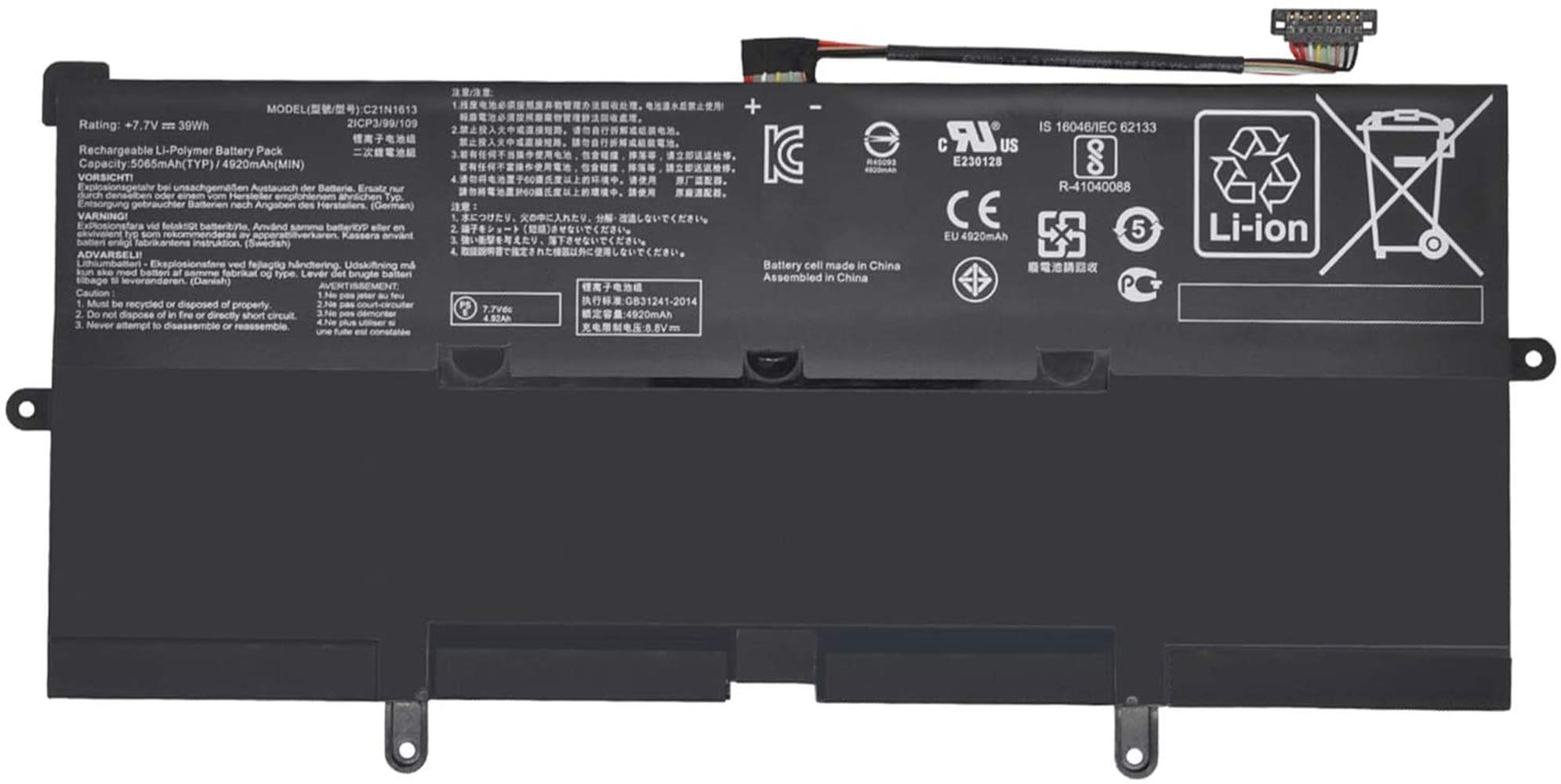
Specification: Battery Type:Li-ion Voltage: 7.7V Capacity: 39Wh/5065mAh Condition: Brand new & High quality Replace Battery Part Number: C21N1613 C21PQC5 0B200-02280000 Compatible Laptop Models:(Use "Ctrl"+"F" to find your laptop model) Asus Chromebook Flip C302C Series Asus Chromebook Flip C302 Series Asus Chromebook Flip C302C Series Asus Chromebook Flip C302CA Series Asus Chromebook Flip C302CA-DH54 Series Asus Chromebook Flip C302CA-GU006 Series Asus Chromebook Flip C302CA-E91T-CB Series Asus Chromebook Flip C302CA-GU011 Series Asus Chromebook Flip C302CA-DHM3-G Series Asus Chromebook Flip C302CA-GU010 Series Asus Chromebook Flip C302CA C302CA-F6Y30 Series Asus Chromebook Flip C302CA-GU001 Series Asus Chromebook Flip C302CA-GU003 Series Asus Chromebook Flip C302CA-DH75 Series Asus Chromebook Flip C302CA-GU005 Series Asus Chromebook Flip C302CA-0041A6Y30 Series Asus Chromebook Flip C302CA-GU017 Series Asus Chromebook Flip C302CA-0041A6Y30 Series Asus Chromebook Flip C302CA-DHM3 Series Asus Chromebook Flip C302CA-DHM4 Series Asus Chromebook Flip C302CA-1A Series NOTE: ①Discharge the new battery to 10% (not 0%), then charge and cycle 3-4 times to wake up the new battery. ②The important point is to perform a full discharge charge every other month to extend battery life. ③Don't connect adapter for a long time while using the battery. It may damage the battery. ④Do not disassemble, crush or puncture. Do not dispose of in fire or water. ⑤If you have questions about installing the new battery, you can search about your laptop( tablet) model installation on YouTube. Such as "How to replace (your laptop model) battery"
Customer reviews
10 Trustpilot reviews total, with 2 shown at a time.
I wrote to Bigamart's customer support and they accompanied the process of reshipping the item until it finally arrived. I felt a genuine effort to solve the problem till it was finally solved.
The package was here in Australia from England in a few days — so quick! Something was missing and they refunded it straight away. Pretty happy with these guys.
You might also like