RSHTECH
✓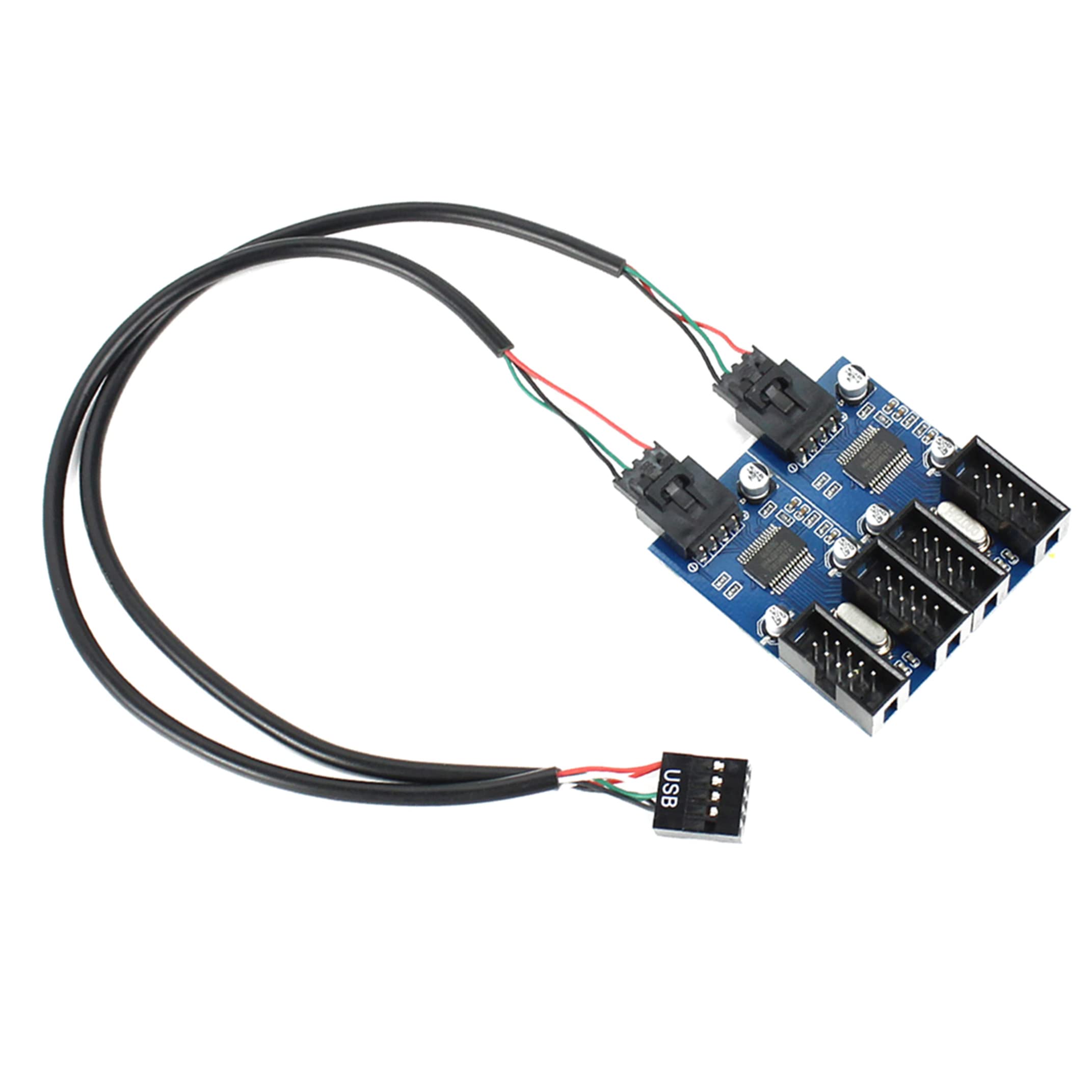
Function: Can be used for fan, led strip, USB hub, wifi router and other USB devices. This is a USB header multiplier for motherboard USB 2.0 header. Specification: Connector A: 9 Pin USB 2.0 Male Connector(s) B: 4X 9 Pin USB 2.0 Female Double chipset included, stable connection. Material: Plastic + Metal Size: (Approx.) Motherboard size: 25×50mm/0.98×1.97in Cable length: 30cm/11.81in Advantage: with back glue, can be fixed on main board firmly. Instruction for Installation USB 2.0 motherboard splitter Step 1: Plug USB header into the front USB connection. Step 2: Paste at any convenient location with 3M sticker. Step 3:Connect with 4 devices with USB 2.0 header, like DIY light bar, cooling Fan, and wifi router. If it doesn't work, please check this----There are a lot of reviews that say it doesn't work. My machine is Windows7: Boot with this plugged into the motherboard header. After boot is complete plug in the device to the USB header with nothing else attached. It will then load the driver for the extension. Afterwards plug in first additional usb device and allow it to load the driver then plug in the second usb device. This worked fine for me How to use it?(from buyer review) I mounted the board & connected it to the USB header on the motherboard first. Then, I connected the front panel connector. Finally, I connected the card reader module. Eventually, after rebooting each time I made a cable connection If you don't know how to use it, please find videos online to guide your installation Package Include: 1x 9 pin USB header splitter PCB board 1x 9 pin USB motherboard splitter cable
Customer reviews
10 Trustpilot reviews total, with 2 shown at a time.
I wrote to Bigamart's customer support and they accompanied the process of reshipping the item until it finally arrived. I felt a genuine effort to solve the problem till it was finally solved.
The package was here in Australia from England in a few days — so quick! Something was missing and they refunded it straight away. Pretty happy with these guys.
You might also like